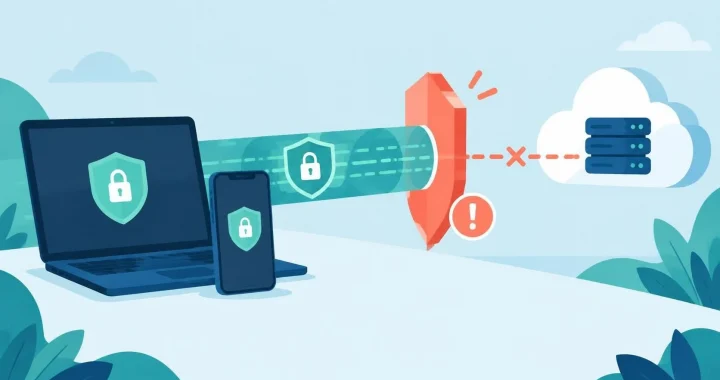
Securing SSH comes down to a few core practices: use key based authentication, disable password logins, restrict who can connect, and keep the server updated. Together these close the most common routes attackers use to gain remote access to Linux and Unix systems. Hardening ssh will keep your server safe.
Why SSH Needs Careful Hardening
Secure Shell (SSH) is the standard tool for administering remote servers, transferring files, and running commands securely. Its encryption protects data in transit, but the default configuration is not enough on its own. An SSH server exposed to the internet is scanned constantly, and weak passwords or outdated versions give attackers an easy way in. A few configuration changes can block most automated attacks.
Use Key-Based Authentication
SSH keys are a pair of cryptographic files: a private key that stays on your device and a public key that you place on the server. When you connect, the server checks that you hold the matching private key, and no password is sent over the network. This is far harder to guess or brute-force than a password.
To set up a key pair, generate it on your local machine with a strong algorithm such as Ed25519, then copy the public key to the server’s authorized keys file. Protect the private key with a passphrase, and store it only on devices you control.
Disable Password Authentication
Once keybased login works, turn off password authentication in the SSH daemon configuration. Open the sshd configuration file, set PasswordAuthentication to no, and set PermitRootLogin to no or prohibit-password so the root account cannot log in with a password. Always keep an existing session open while you test a new configuration, and check the syntax before restarting the service. Otherwise a mistake can lock you out of the server.

Limit Access and Change Defaults
Restrict which users can log in by adding an AllowUsers or AllowGroups directive to the configuration. This means that even a valid accunt cannot connect unless it is explicitly permitted.
Moving SSH away from the default port 22 will not stop a determined attacker, but it cuts down on automated noise in your logs. More importantly, restrict access at the network level. Use a firewall to allow SSH only from known IP addresses or through a VPN, so the service is not reachable from the whole internet.
Keep the System and SSH Updated
Vulnerabilities in OpenSSH are discoverad from time to time, and unpatched servers are a common target. Enable automatic security updates where your distribution supports them, or schedule regular maintenance windows to apply patches. Check the version of OpenSSH you are rurring, and read the release notes for any security fixes.
Add Monitoring and Brute-Force Protection
Tools such as Fail2ban can watch authentication logs and temporarily ban IP addresses that repeatedly fail to log in. Review logs regularly for unusual login times, unfamiliar usernames, or connections from unexpected locations. If you manage several servers, a central logging system makes these patterns much easier to spot.
For higher-security environments, consider multi-factor authentication for SSH, which requires a second factor such as a one-time code in addition to the key.
Common Mistakes to Avoid
Several errors appear again and again. Leaving the private key unprotected on a shared computer lets anyone with access impersonate you. Forgetting to remove old public keys from the authorized keys file leaves former employees or retired devices with continued access. Applying configuration changes without testing them can lock administrators out. And exposing SSH to the entire internet when only a few trusted locations need it increases risk for no benefit.
Frequently Asked Questions
Is SSH safe to expose to the internet? It can be, if you use keybased authentication, disable passwords, restrict access by IP address, and keep the software updated. Many administrators still prefer placing SSH behind a VPN for an extra layer.
Should I use RSA or Ed25519 keys? Ed25519 is generally recommended for new keys because it is fast and provides strong security with short keys. RSA keys are still acceptable if they are at least 3072 bits, which supports older systems that do not handle Ed25519.
What should I do if I suspect a key has been compromised? Remove the affected public key from every server it was installed on, generate a new key pair, review logs for unauthorized sessions, and check whether any commands or files were changed.
View More cybersecurity tips here.